
Imagine you have a secret document. A very important one. You need to send it to a friend, and you need to be 100% certain that they receive the exact same document, with not a single letter, comma, or period changed along the way.
How could you prove it?
You could read the whole thing out loud over the phone, but that would take forever. You need a shortcut. A way to instantly verify that the file is perfect.
What if you could put the entire document into a special “blender”? This blender would churn through every single word and punctuation mark and, at the end, spit out a single, short, totally unique code. Something like:
5eb63bbbe01eeed093cb22bb8f5acdc3
This unique code is the document’s digital fingerprint. This process of creating the fingerprint is called hashing.
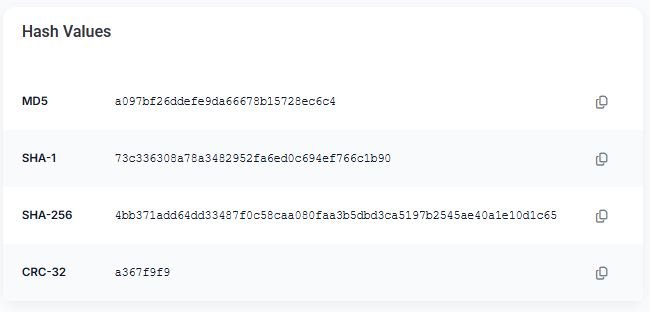
It’s one of the most important and least understood concepts in all of digital security. You’ve probably seen it without realizing it. When you download a big piece of software, you might see a “checksum” or “hash value” listed next to the download link. That’s this.
Hashing is the silent guardian that protects our data integrity every single day.
How Does This “Blender” Actually Work?
A hashing algorithm is a one-way street. It’s easy to put the document in and get the fingerprint out. But it’s practically impossible to take the fingerprint and turn it back into the original document.
And here’s the magic part:
If you change anything in the original document—even just one tiny comma—and put it back through the blender, it will produce a completely different fingerprint.
Let’s say our original document produces that 5eb6… fingerprint.
If we go into the document, delete a single comma, save it, and run it through the exact same blender, the new fingerprint might look like this:
8a79a49f70634268e0d491c3d17961f6
The two fingerprints are totally different. They share no resemblance. This allows for a perfect, instant verification.
Two Real-World Reasons Why Hashing Matters
This isn’t just a cool party trick. Hashing is used everywhere for two critical jobs.
Job #1: Verifying File Integrity (The “Did I Get the Right File?” Test)
This is the example we started with. When you download a large file, especially something important like an operating system update or a piece of software, you need to know that the file wasn’t corrupted during the download. You also need to know that a hacker hasn’t sneakily replaced the real file with a fake one containing a virus.
Here’s how it works:
- The company that makes the software runs their final, clean file through a hashing algorithm (like MD5 or SHA-256) and gets a fingerprint.
- They post that fingerprint on their website right next to the download link.
- You download the big file.
- You then use a simple hashing tool on your own computer to run the file you just downloaded through the same algorithm.
- Your computer will produce a fingerprint.
Now, you just compare the two. If the fingerprint on the website exactly matches the fingerprint your computer produced, you can be 100% certain that you have a perfect, untampered copy of the original file. If they don’t match, you know something went wrong, and you should delete the file immediately.
Job #2: Securing Passwords (The “We Don’t Want Your Password” System)
This is the big one for online security. When you create an account on a secure website, they do not store your actual password. That would be incredibly dangerous. If they got hacked, the criminals would have everyone’s passwords.
Instead, they use hashing.
- You sign up with a password, let’s say it’s Blue-Guitar-Waffle-Mountain.
- The website’s server takes your password, runs it through a hashing algorithm, and gets a fingerprint, like c7d4….
- The server stores the fingerprint, not the password. It then throws your actual password away.
- The next time you log in, you type Blue-Guitar-Waffle-Mountain. The server takes what you typed, runs it through the same hashing algorithm, and gets a fingerprint.
- It then compares the new fingerprint to the one it has stored. If they match, it knows you typed the right password, and it lets you in.
The server never knows your actual password. It only ever knows the fingerprint. So even if the website gets hacked, the criminals only get a list of useless fingerprints. They can’t turn them back into the original passwords.
Hashing is a simple but brilliant idea. It’s a one-way door that allows for perfect verification without ever exposing the original secret. It’s the invisible backbone of a secure and trustworthy digital world.

