
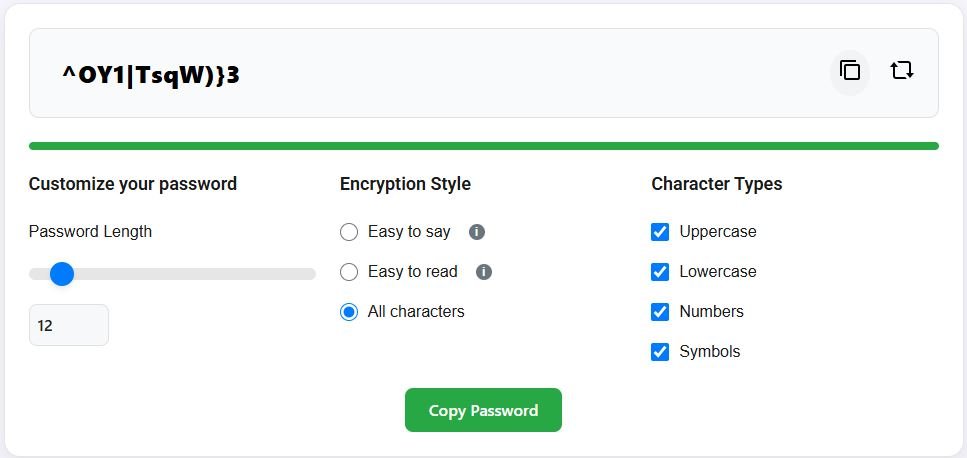
I used to be so smug about my passwords.
I had a “system.” I’d take a base word I could remember, like Summer, and I’d add the year and a special character. So my bank password would be Summer2023!, my email would be Summer2023*, and so on. I thought I was a genius. It was easy to remember and it had a number and a symbol. I was checking all the boxes.
Then I watched a video of a cybersecurity expert demonstrating how modern password-cracking software works. My “genius” password? The software guessed it in about three seconds.
It was a humbling, terrifying moment. All of my most important accounts—my money, my private emails, my personal photos—were protected by a lock that a common criminal could break in less time than it takes to tie my shoes.
The old advice we all learned about passwords is dangerously outdated. In a world of constant data breaches, keeping your online accounts safe isn’t about being clever. It’s about understanding the simple, counterintuitive truth of what actually makes a password strong.
The Big Lie: Complexity vs. Length
Here’s the number one mistake everyone makes, the one my old “system” was built on. We’ve been trained to believe that a complex password is a strong password. We painstakingly create things like R&d$9!bZ.
It’s impossible for a human to remember. And it’s shockingly easy for a computer to guess.
Why? Because modern hacking software doesn’t guess like a human. It uses brute force. It tries billions of combinations per second. A short, 8-character password, even a complex one, is a tiny haystack for a computer to search through.
What actually stops these computers in their tracks? Length.
A long, simple, and slightly silly passphrase like correct-horse-battery-staple is exponentially stronger than R&d$9!bZ. A computer could guess the short one in minutes. It would take that same computer centuries to guess the long one.
The new rule is simple: Length trumps complexity. Every single time. Aim for a password that is at least 15 characters long. The best way to do this is to create a passphrase—a short, memorable, and random sequence of words.
How to Create a Truly Unbreakable Password
- Think of four random words. Look around the room. What do you see? Desk-Lamp-Book-Coaster. There you go. That’s a fantastic, strong password.
- Add a little spice. If you want to make it even stronger, you can mix in a number or a symbol. Desk-Lamp-77-Book-Coaster!. Now it’s basically Fort Knox.
- The most important rule: Use a different password for every single account. I know, I know. It sounds impossible. But this is not optional.
Why You Can’t Reuse Passwords Anymore
Think about it. You use the same password for your bank, your email, and that sketchy online forum you signed up for in 2012 to download a pizza recipe.
That sketchy online forum gets hacked. The hackers now have a list of usernames and their passwords. What’s the first thing they do? They take that list and they try those same username/password combinations at every major bank, email provider, and shopping site in the world.
This is called “credential stuffing,” and it’s how most accounts get compromised. Your bank’s security can be amazing, but it doesn’t matter if you gave the criminals the key because a different, less secure site got breached.
Using the same password everywhere is like using the same key for your house, your car, and your office. If a thief gets one key, they have access to your entire life.
The Only Real Solution: A Password Manager
Okay, so you need a long, unique password for every account. How are you supposed to remember hundreds of different passphrases like Blue-Guitar-Waffle-Mountain?
You don’t. You use a password manager.
This is the single best thing you can do for your online security. A password manager is like a secure digital vault for all of your passwords. You only have to remember one very strong master password to unlock the vault.
Inside, it stores all of your other passwords for you. It can generate ridiculously strong, random passwords for new sites, and it will automatically fill them in for you when you log in. Popular and trusted options include Bitwarden, 1Password, and Dashlane.
Yes, it takes an hour to set up. But that one hour will give you a lifetime of security and peace of mind.
Beyond Passwords: Your Final Layer of Defense
Even the best password can be stolen. The final, non-negotiable step to keeping your accounts safe is enabling Two-Factor Authentication (2FA) wherever you can.
2FA means that even if someone steals your password, they can’t get into your account without a second piece of information—usually a one-time code sent to your phone. It’s like having a second, separate lock on your digital door.
Keeping your accounts safe isn’t about being a cybersecurity expert. It’s about letting go of old, bad habits and embracing two simple ideas: long, unique passphrases and a password manager to remember them for you. It’s a small change that makes a world of difference.

