
You know the feeling.
You’ve finally finished the report, scanned the documents, or saved the presentation. You attach it to an email, hit send, and lean back feeling accomplished.
And then it comes. That soul-crushing email from “MAILER-DAEMON” telling you your message was too big to send.
It is one of the most infuriating things in the digital world. You have a file. You need to send it. But the computer says no. You’re stuck with this giant, clumsy PDF, and you have no idea how to make it smaller without turning all the images into a blurry mess.
I’ve been there more times than I can count. But I eventually learned a secret: there isn’t just one way to fix this. There are a few tricks, and they are way simpler than you think.
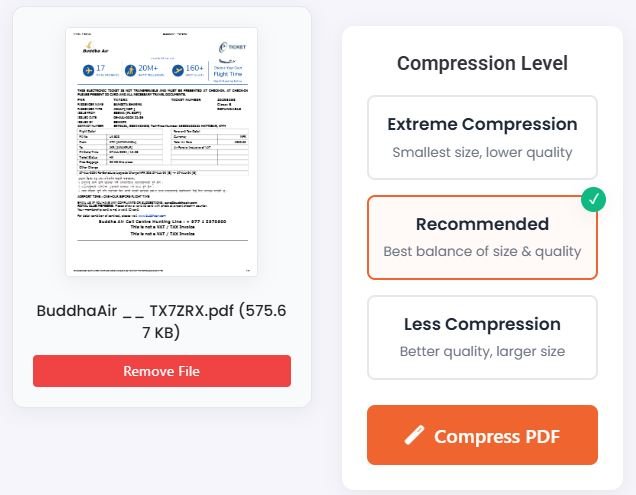
Trick #1: The Magic Button (Compression)
This is the first thing you should always try. It’s the most direct solution to the problem.
Think of your giant PDF like an overstuffed suitcase. You can’t zip it shut. A compression tool is like a magical helper that neatly folds everything, pushes out all the extra air, and makes it all fit perfectly without actually throwing anything out.
Your document looks the same, but the file size is magically smaller. It does this by smartly reducing the size of the images and getting rid of hidden, useless data you don’t need. It’s the easiest fix.
When to use this: Always start here. If your file is just a little too big, this is almost always the only step you’ll need.
- Your Tool for the Job: This is exactly what a Compress PDF tool is built for. You just upload your file, it does its magic, and you download the new, smaller version.
Trick #2: The Surgical Strike (Splitting)
Sometimes, the problem isn’t that the file is poorly packed. The problem is you’re trying to mail a whole book when you only need to send one chapter.
I see this all the time. Someone scans a 50-page contract, but they only need to email the two pages with the signatures. Or a student saves a 200-page textbook but just needs to upload the 10-page chapter for their assignment.
Why are you sending the whole giant thing? It’s a waste of time and data.
The smarter way is to just pull out the exact pages you need. The file size of two pages is obviously going to be way, way smaller than the file size of fifty.
When to use this: Use this when you only need a specific part of a large document. It’s the most effective way to drastically reduce file size.
- Your Tool for the Job: This is a perfect job for a Split PDF tool. It lets you visually select just the pages you want to keep and saves them as a new, tiny PDF.
Trick #3: Trimming the Fat (Organizing)
This is a variation of the surgical strike. Your PDF might not have chapters you can remove, but I bet it has useless pages.
Think about it:
- The blank page at the end that the scanner added for no reason.
- The generic cover sheet that your company automatically includes.
- The five pages of legal disclaimers that nobody ever reads.
These pages are adding to the file size for no good reason. Get rid of them. If you can cut down a 20-page document to 15 pages by removing the junk, you’ve just cut 25% of the file size.
When to use this: Perfect for scanned documents or official reports that are filled with junk pages you don’t need to send to someone.
- Your Tool for the Job: An Organize PDF tool is your best friend here. You can see all the pages of your document laid out like playing cards. You just click to delete the ones you don’t want, and poof—they’re gone.
Your Simple 3-Step Plan for Any Giant PDF
So, the next time you’re stuck with a monster file, don’t panic. Just follow this plan.
- First, try to compress it. Upload it to the Compress PDF tool. This often solves the problem in 30 seconds.
- If it’s still too big, think smart. Do you really need all those pages? Use the Split PDF tool to pull out only the pages you need, or use the Organize PDF tool to delete the junk.
- Send with confidence. Your new, smaller file will fly through the internet with no problem.
You don’t have to be a tech genius to handle big PDFs. You just need to know the right trick for the job. And now, you do.

